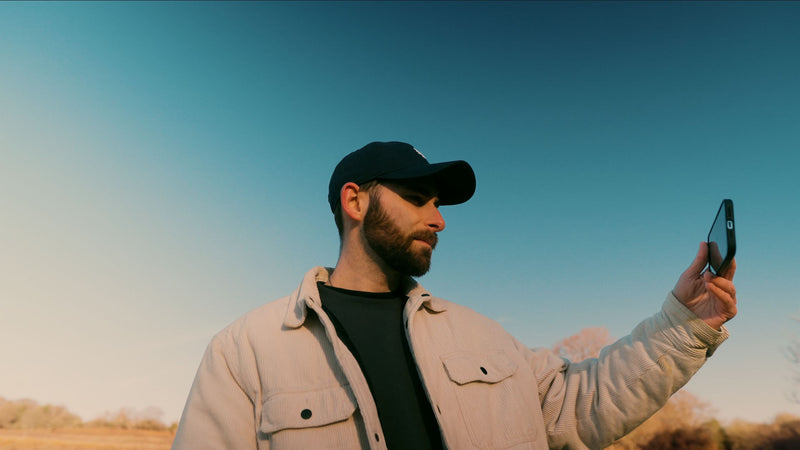
Why does my footage look "digital" and not cinematic?

You've probably had this moment. You watch something back, maybe a wedding clip or a bit of travel footage, and something about it just says video. Not film. Video. It's sharp, it's bright, it's technically fine, and it looks exactly like what it is, which is a digital sensor pointed at a thing.
Meanwhile someone on Instagram is shooting on an older, worse phone and their stuff looks like a Sofia Coppola trailer.
I spent a long time assuming this was a gear problem. It isn't, or at least not mostly. It's a handful of specific things, and once you know what they are you can't unsee them.
Here they are, roughly in order of how much difference each one makes. Some of these are free. Some of them are ten minutes in an editor. None of them are "buy a cinema camera".
1. Your color is doing too much
This is the biggest one by a distance.
Digital footage straight out of the camera has saturated, accurate, evenly bright color. Every hue is exactly what it was in real life. Film never did that. Film had a bias. Kodak stock leaned warm in the skin and cool in the shadows. Fuji did something else. Different stocks made the same scene feel different, and that bias is a huge part of what your brain reads as "cinematic".
When color is neutral and correct everywhere, it looks like a recording. When color has a point of view, it looks like a film.
The fix is a proper grade, and the honest shortcut is a good LUT. Not a heavy Instagram filter. A grade that pulls the palette in one direction, usually warming the mids, cooling the shadows, and taking the greens somewhere less nuclear. If you shoot Log, you've got a lot more room to do this cleanly. If you don't, you can still get most of the way there.
 What I'd avoid: saturation cranked to the point where everyone looks jaundiced. That was 2016. Subtle beats obvious every time.
→ Spectrum Cinematic LUT bundle.
If you are filming using a iPhone on log mode you can check out our blog on this here.
2. It's too clean
Digital sensors are, by design, noise-free and pristine. Film had grain. Real, organic, slightly random texture across every frame. Your eye is used to associating that texture with cinema, and its total absence with a phone.
This is why a clip can be beautifully graded and still feel sterile. There's nothing for the eye to hold onto. It's like a room with no furniture.
Add grain. A proper film grain overlay, not the "noise" slider in your editor, which just adds digital fizz. 35mm grain is fine and subtle. 16mm is more visible and more "indie documentary". 8mm is chunky and only for a specific look. Set it to Overlay or Soft Light, keep the opacity low enough that you'd have to look for it, and watch the clip come alive.

Bonus: grain hides compression artifacts and banding in skies, so your export looks cleaner on Instagram, not worse.
3. Your shutter speed is wrong
This one's free and it's the one most people have never been told.
Cinema runs at 24 frames per second with a 180 degree shutter, which for our purposes means a shutter speed of 1/48 (or 1/50, close enough). That combination produces a specific amount of motion blur: enough that movement smears very slightly, not so much that it's a mess.
Phones and cameras in auto mode pick whatever shutter speed makes the exposure right. In daylight that might be 1/2000. At that speed every frame is razor sharp, and when you play them back you get that stuttery, hyper-real, sports-broadcast feel. That's the "video" look. Nothing to do with your grade.
Fix: shoot at 24 or 25fps, lock your shutter at 1/50, and control exposure with an ND filter instead. On a phone, use an app like Blackmagic Camera that lets you lock shutter, and get a clip-on ND. It's a $25 accessory that does more for the cinematic look than most $250 lenses.
4. Everything's in focus
Cinema uses focus to tell you where to look. A face sharp, the background soft. Your brain reads that as intentional, as directed.
Phones and small sensors have huge depth of field. Everything from the person to the parking lot behind them is equally sharp, and the image becomes visual noise. There's no hierarchy.
You've got two routes here. The expensive one is a camera with a bigger sensor and a fast lens. The cheaper one is to stage depth. Put something in the foreground. Shoot through a doorway, past a plant, over a shoulder. Move your subject away from the background. Even on a phone, Cinematic mode on the iPhone does a reasonable job now if the light's decent.
And be honest with yourself about the blur you're adding in post. Sometimes it works. Often it looks like a blurry sticker.
5. You're shooting in bad light and fixing nothing
Cinematic images are lit. Not necessarily with lights, but with intent. The sun's behind the subject, not in their face. There's a window doing the work. The room's darker than you'd naturally have it, so the light that is there has shape.
Digital footage tends to be shot in flat, even, overhead light because that's where the camera says "exposure OK". Flat light means no shadow, and no shadow means no depth, and no depth means it looks like CCTV.
The single most useful habit: turn your subject so the main light is to one side or behind them, and let one side of the face go darker. Contrast on a face is basically the whole game.
6. Your contrast is in the wrong place
Digital footage often has contrast in the wrong places. Blacks are crushed to zero, whites are clipped to pure white, and the midtones are flat. Film had soft shoulders on both ends: the shadows lifted slightly (the "milky black" look), highlights rolled off gently rather than hitting a wall.
If you're grading yourself, try lifting your blacks a touch so pure black is more of a very dark gray, and pull your highlights down before they clip. A good film-style LUT does this for you, which is a large part of why it looks the way it does.

7. It sounds like a phone
Nobody talks about this because it's a blog about footage, but I'd be lying if I said sound wasn't half the feeling.
Digital video has the sound of the room the phone was in. Cinema has a sound design. Even a simple clip changes completely when there's a low ambient bed under it, a subtle whoosh on a cut, a bit of room tone so the silence isn't dead silence.
Put a clip you're proud of on mute, then play it with a soft ambience track underneath. The picture doesn't change. It'll feel like a different clip.
→ Atmosphere SFX / ambience pack
The things that don't make footage cinematic
Because it's worth saying.
Black bars. Letterboxing a 16:9 video to fake 2.39:1 doesn't make it cinematic. It makes it a 16:9 video with bars on. If the framing, color and motion are wrong, the bars just draw attention to it. Frame for the ratio you want when you shoot, or leave it alone.
Slow motion on everything. 120fps of someone walking is not a film. It's B-roll.
4K and 8K. Resolution is not the issue. Some of the most cinematic footage on the internet is 1080p shot on a ten-year-old camera. Sharpness, if anything, works against you. Film was never that sharp.
The lens flare effect. You know the one.
Where to start
If you take one thing from this: color and texture together get you most of the way, and they're both ten minutes in the edit.
- Convert your footage properly if it's Log. → Free Conversion LUT pack
- Apply a film-style LUT and back the intensity off to where it looks natural.
- Add 35mm grain at low opacity.
- Next time you shoot, lock your shutter at 1/50 and turn your subject toward side light.
Do those four and compare it to what you were making a week ago. The gear didn't change. That's the point.